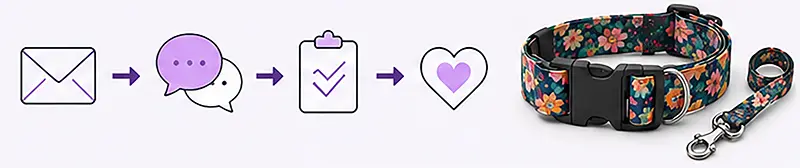


How to Design Your Own Pattern for Webbing and Fabric?
Custom sublimation printing allows you to create unique webbing, leashes, collars, straps, fabrics, and promotional accessories. You can prepare the design yourself in graphic software or use ready-made elements available on graphic stock platforms such as Creative Market or Shutterstock.
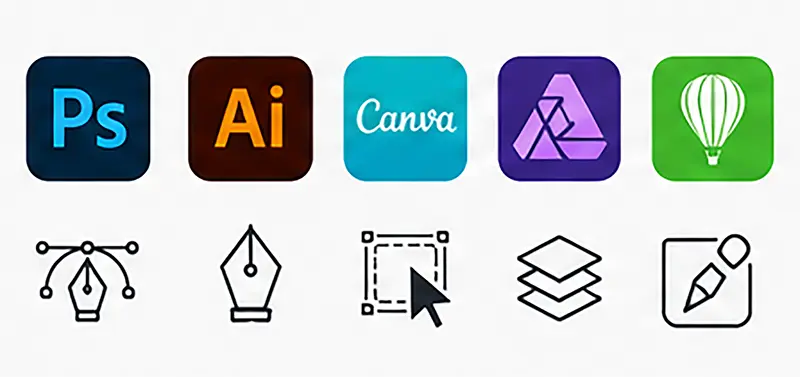
Basic knowledge of programs such as the following is enough to prepare a design:
- Photoshop,
- Illustrator,
- Canva,
- Affinity Designer,
- CorelDRAW.
The best results are achieved with colorful, high-contrast, and clear designs. Sublimation printing reproduces vibrant colors, details, and smooth tonal transitions exceptionally well.
General Design Preparation Guidelines
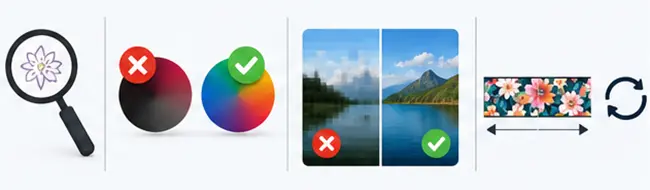
Avoid Very Small Elements
We recommend avoiding elements smaller than approximately 0.3 mm. Very thin lines and tiny details may become less visible after printing.
Avoid Very Dark Gradients
Subtle tonal transitions in very dark colors may blend together during printing. Designs with vivid colors and strong contrast usually produce the best results.
Prepare a High-Quality File
The recommended project resolution is a minimum of 300 DPI. This ensures the print remains sharp and detailed.
Remember About Seamless Pattern Repetition
If the design is intended to repeat, it is worth preparing it so that the beginning and end connect smoothly. This is not mandatory, but it significantly improves the final visual effect.
Preparing a Design for Webbing
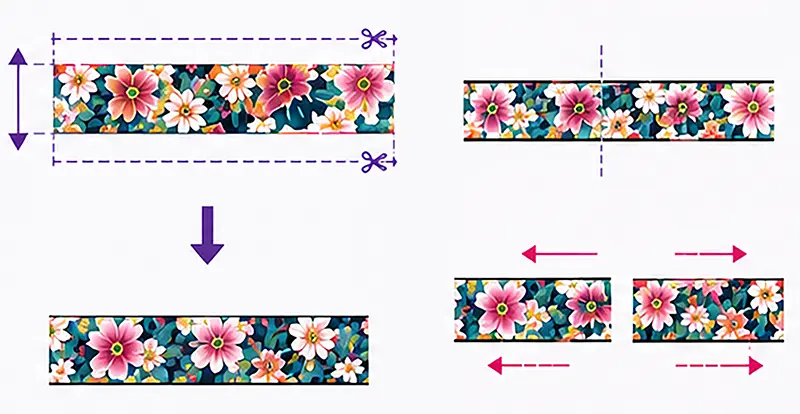
During printing, part of the design near the top and bottom edges of the webbing is used to fully cover the sides of the webbing with ink. Therefore, important design elements should not be placed too close to the edges.
For symmetrical designs, please note that the webbing may shift slightly sideways during production. This may cause small shifts in the design relative to the center of the webbing.
It is recommended to include the webbing width in the file name.
If the design contains different patterns on both sides of the webbing, we recommend labeling the files as:
- FRONT,
- BACK.
Recommended Design Widths for Webbing
| Webbing width | Design width |
|---|---|
| 10 mm | 14 mm |
| 15 mm | 19 mm |
| 20 mm | 24 mm |
| 25 mm | 29 mm |
| 30 mm | 34 mm |
| 37 mm | 41 mm |
| 40 mm | 44 mm |
| 50 mm | 54 mm |
Preparing a Design for Fabric
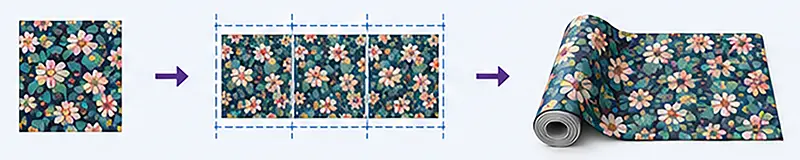
Patterns intended for fabric printing are best prepared as seamless repeating patterns. This allows the artwork to be smoothly repeated across the entire fabric surface.
The design can be prepared as:
- a square,
- a rectangle.
The maximum recommended design width is 160 cm.
The design length can be unlimited.
Just like with webbing designs:
- we recommend a minimum of 300 DPI,
- using vivid colors is recommended,
- very small elements and overly dark gradients should be avoided.
Supported File Formats
Accepted formats:
- TIFF,
- JPG,
- PNG,
- PSD,
- AI,
- EPS,
- PDF,

Color Space
The design can be prepared in:
- RGB,
- CMYK
Need Help With Your Design?
If you are not sure whether your design has been prepared correctly, you can send it to us for consultation before production. We will help check the file and select the right webbing or fabric for your intended use.
We provide sublimation printing on webbing and fabrics for:
- pet accessory manufacturers,
- handmade brands,
- advertising companies,
- textile manufacturers,
- manufacturers of leashes, straps, and accessories.